Posts for: #N8n

Using the n8n SSH Node

The n8n SSH node gives you ability to do pretty much anything you would do if you logged into a remote machine via a terminal session. Here are the steps I took when setting things up for my workflows:

  1. Create a new user.
  2. Create SSH keys for the new user.
  3. Create the script you want to enable in n8n.
  4. Configure the SSH key so only a specific script can be run.

Note that all of these steps are optional. You could just set up the node, create a new set of n8n credentials via username/password, and run any command from n8n. In my case, I run n8n on a virtual private server (VPS) so I wanted to restrict what it could do. If you’re running n8n in a home lab environment, you probably don’t need to be this restrictive.
[Read more]

Merging Data in n8n

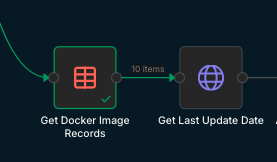
Merging data in n8n can be a little confusing at first. Take this partial workflow for instance:

Here we read records from a data table and call a HTTP service to get information related to each record. The goal is to get the latest release date via the HTTP call and append it to the data from the data table.

The output of the data table node looks like this:

[Read more]

n8n Custom Variables Alternative

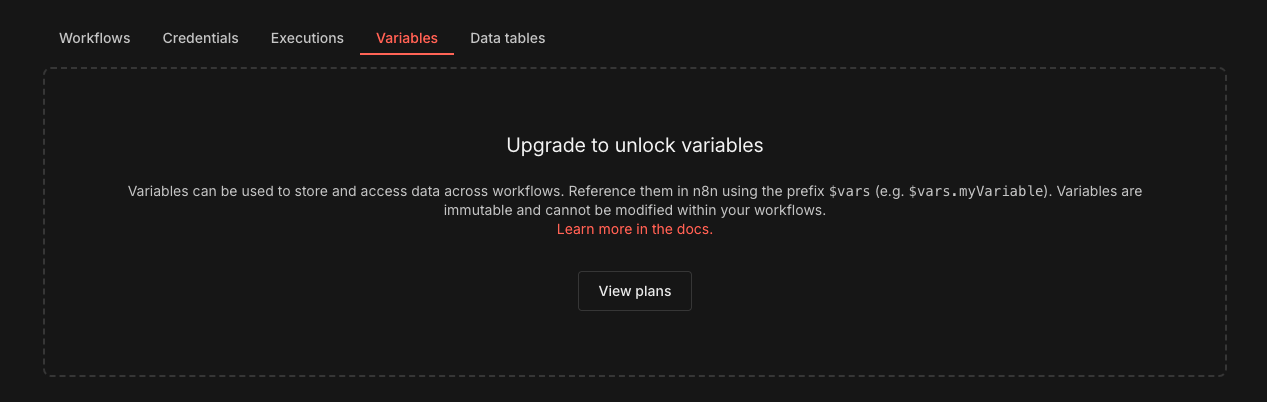
If you’re self-hosting an n8n instance, you may have noticed a “Variables” tab on the main admin page.

This would allow you to set variable values that can be used in all of your workflows. It is unfortunately only available on a paid plan. If you need this functionality, here’s an alternative method. DO NOT use this for sensitive information like passwords or API keys though as using this method results in the variable values showing up in the execution logs of your workflows.

[Read more]

Making a Mess out of n8n Folder Permissions.

I recently ran into an issue while setting up a self-hosted instance of n8n on a virtual private server (VPS). My workflow included a final step that wrote a file to a folder on the host machine via a Docker bind mount:

volumes:
  - n8n_data:/home/node/.n8n
  - ./local-files:/files

Before starting the containers for the first time, I created the local-files directory in the same location as the docker-compose.yml file. I had done this previously on a Raspberry Pi, where I was also hosting an instance of n8n, and it seemed like the proactive thing to do. Turns out, it wasn’t a good idea.

[Read more]

n8n self-hosted + Cloudflare Tunnel + Telegram

If you’re self-hosting n8n on your home network and accessing it through a Cloudflare Tunnel, you might run into an issue where Telegram or webhook triggers stop working. This typically occurs when you create a Zero Trust application for the tunnel’s subdomain and attach a login access policy to it. While that policy is great for restricting access to your n8n instance, it also blocks external services—like Telegram—from reaching your webhook endpoints and triggering workflows.

[Read more]